


Your mentor sees what you see.
No more screenshots in a chat group. Share one code and your mentor reads your real journal — every trade, chart and note — then rates the execution, comments on the trade, sets tasks and sends a weekly brief.
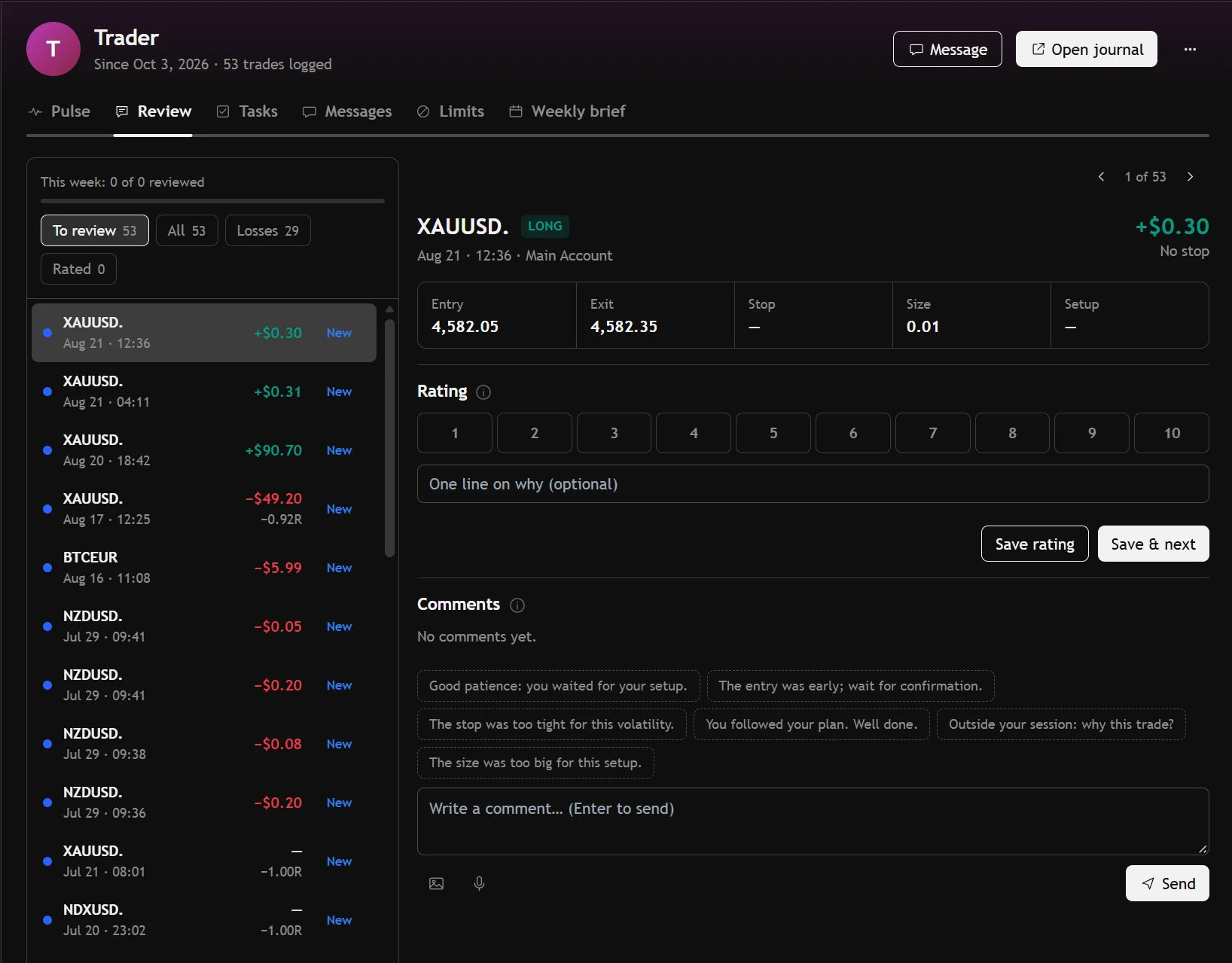
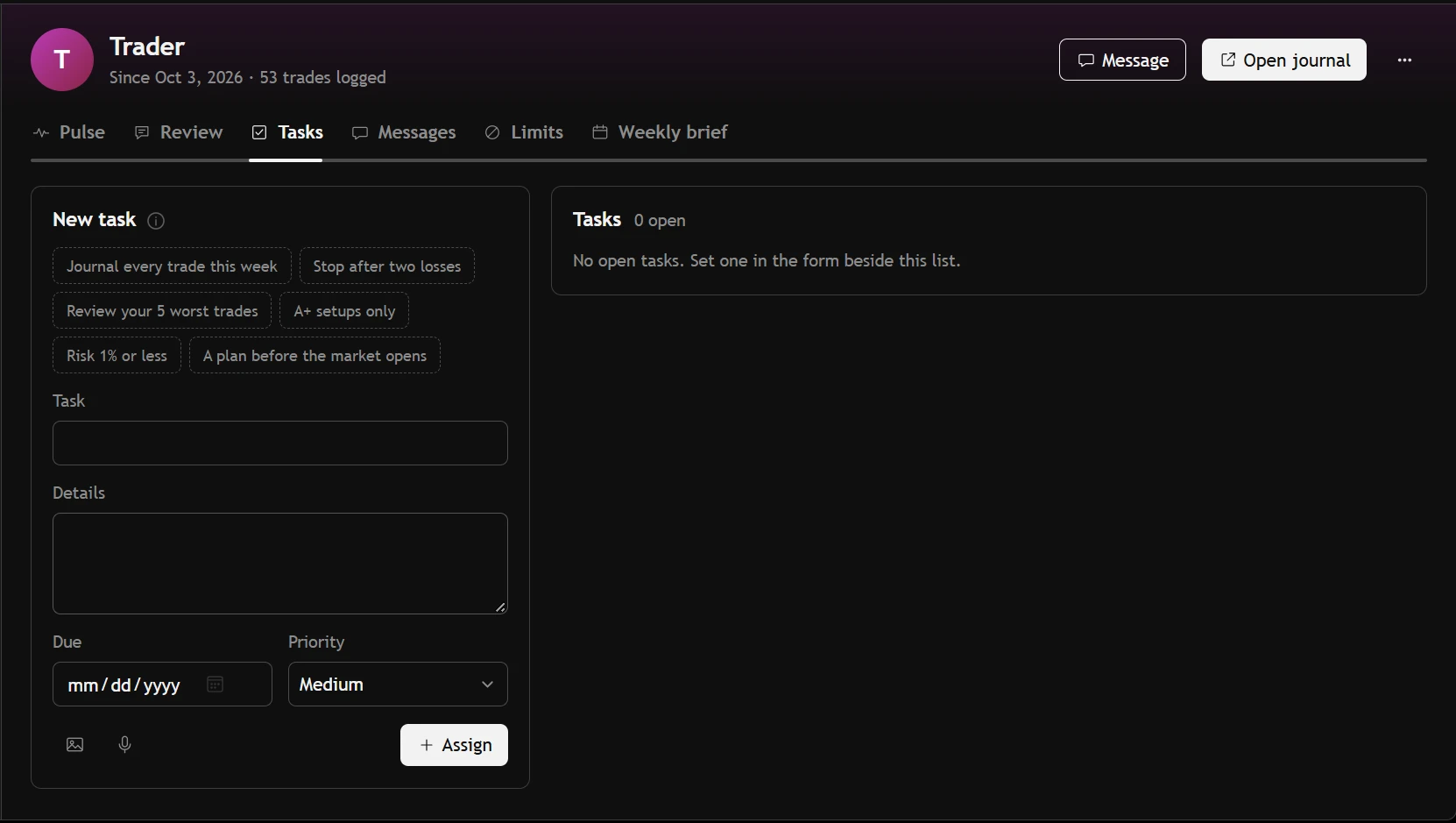
A coaching desk, ordered by who needs you first.
- Every student's pulse: this week, the last 30 days, win rate, profit factor and the current run.
- A review queue of new trades. Rate the execution 1 to 10 and comment by text or voice.
- Tasks with due dates, a symbol paused for a while, and a weekly brief ready to send.
- “Needs your attention”, read from the student's own trades, tasks and messages.
Feedback on the trade itself, not on a screenshot of it.
- Every rating and comment lands in one inbox, linked to the trade.
- Tasks you tick off on your side; your mentor sees them done.
- A paused market is a reminder in your trade form, not a lock — a trade taken anyway still shows up.
- Messages that stay between the two of you.
Read-only, and yours to switch off.
A mentor can see everything in the journal and change nothing in it. You connect with their code — entering it is your consent — or send a request by username for them to accept. Disconnect at any time and the access is gone.
Your mentor creates a code
One code for all their students, from the coaching desk.
You enter it under My mentors
Or find your mentor by username and send a request.
They see your journal, read-only
Trades, charts, notes and reports — the way you see them.
About mentoring.
Can my mentor change my trades?
No. A mentor's view of your journal is read-only. They can rate, comment, set tasks and pause a symbol — all of it shown to you, none of it touching your trades.
Can I have more than one mentor?
Yes. Each connection is separate, and you can end any of them whenever you like.
Is mentor mode on the free plan?
Mentor mode is part of Pro.
Where the trades go next.
Your next trade deserves a reason.
Bring in your history and see what it says — free, in a few minutes.
Create your free accountAnswers to what traders ask us most — and a ticket to a person when they aren't enough.
Open helpsupport@tradeassay.com — read by the people who build the app.
Send an emailLong reads on sample size, R and prop-firm rules, each with a calculator.
Start reading