


A journal that reads your MT4 and MT5
The sync runs inside your terminal, not through your broker — so it works at any MT4 or MT5 broker, not only the ones on somebody's supported list.
Most journals connect to brokers one integration at a time, which is why their broker lists are finite and why yours is so often missing from them.
TradeAssay connects to the terminal instead. An expert advisor running in your own MT4 or MT5 pushes closed trades and open positions out, which makes the broker on the other side irrelevant to whether it works.
| Coverage | |
|---|---|
| Named MetaTrader brokers | 430 |
| Other platforms importable by file | 40+, including cTrader, TradeLocker, Tradovate, NinjaTrader and thinkorswim |
| Markets | Forex, indices, metals, crypto, stocks, options, futures |
Coverage as published on the supported brokers page, August 2026.
Including the trade you have open right now
Open positions come across as they are, not only after they close, so the journal shows what you are actually in rather than a history that ends at your last exit.
- Works at any MT4 or MT5 broker, listed or not
- Interactive Brokers syncs via a read-only Flex report token
- Import an MT4/MT5 statement, CSV, HTML or XML for years of history in one pass
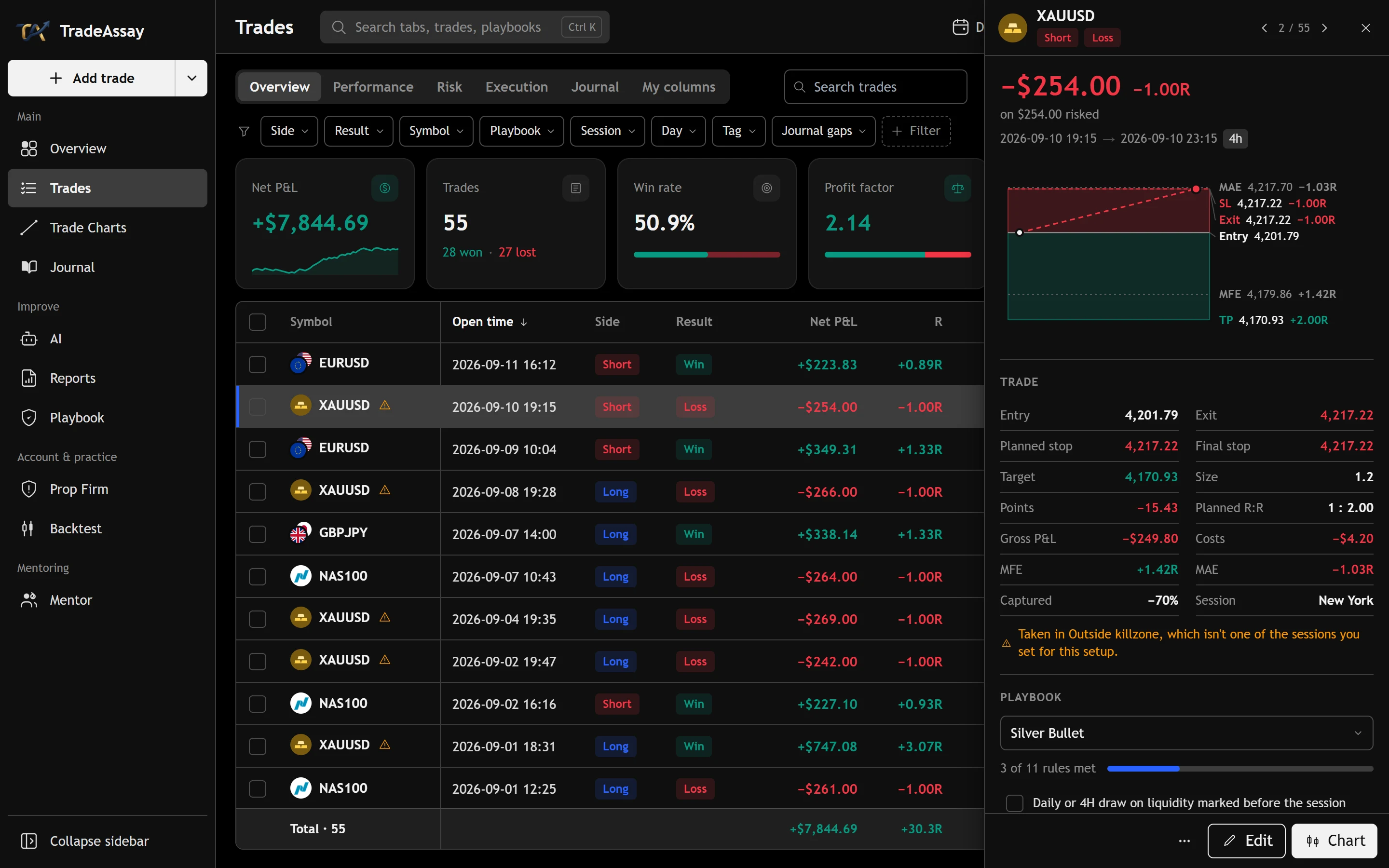
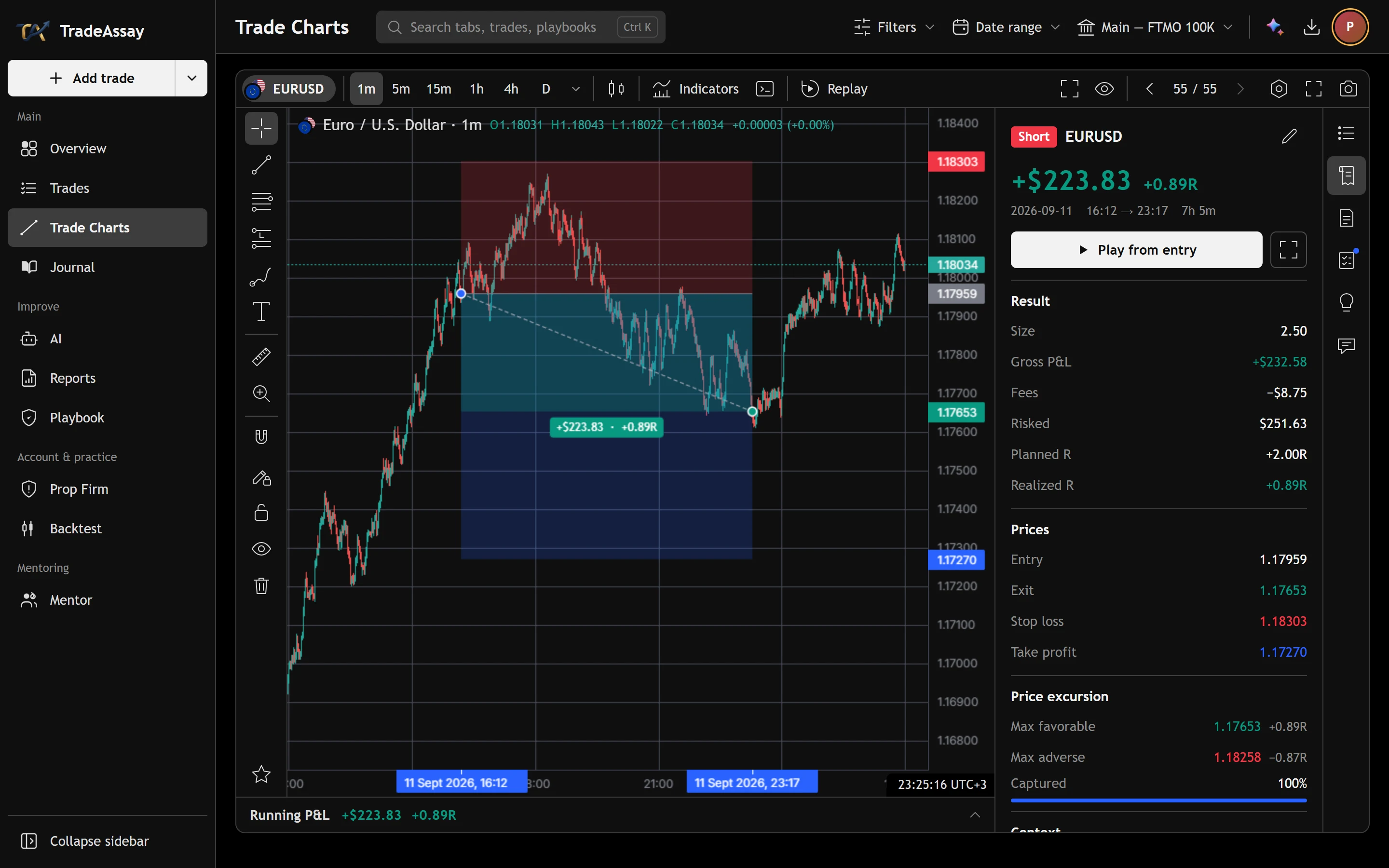
Every synced trade opens on a real chart
Click any trade and it reopens on a real chart with your entry, stop and exit marked where they happened — replayable from the entry bar with a running profit and loss curve, and maximum favourable and adverse excursion in R.
What the connection can and cannot do
It is read-only. It sees your trade history and your open positions. It cannot place, modify or close an order, and your broker password is never stored — the expert advisor runs on your machine and pushes data out, so there is no credential to keep.
cTrader is import-only rather than automatic sync, and so are the other 40-odd platforms. If you specifically need automatic sync, that is MetaTrader 4, MetaTrader 5 and Interactive Brokers today.
Before you switch.
Does it work with my broker?
If your broker gives you MetaTrader 4 or MetaTrader 5, yes. The sync runs inside your terminal, so the broker on the other side does not need to be integrated. 430 are listed by name; the rest work identically.
Can it trade my account?
No. The connection is read-only: it can see trade history and open positions and cannot place, modify or close an order. Your broker password is never stored.
Does it pick up open positions?
Yes, including positions open right now, not only closed trades.
What about cTrader?
cTrader is import rather than automatic sync — export from cTrader and drop the file in. Automatic sync today is MetaTrader 4, MetaTrader 5 and Interactive Brokers.
Other ways to look at it.
Your next trade deserves a reason.
Bring in your history and see what it says — free, in a few minutes.
Create your free accountAnswers to what traders ask us most — and a ticket to a person when they aren't enough.
Open helpsupport@tradeassay.com — read by the people who build the app.
Send an emailLong reads on sample size, R and prop-firm rules, each with a calculator.
Start reading