


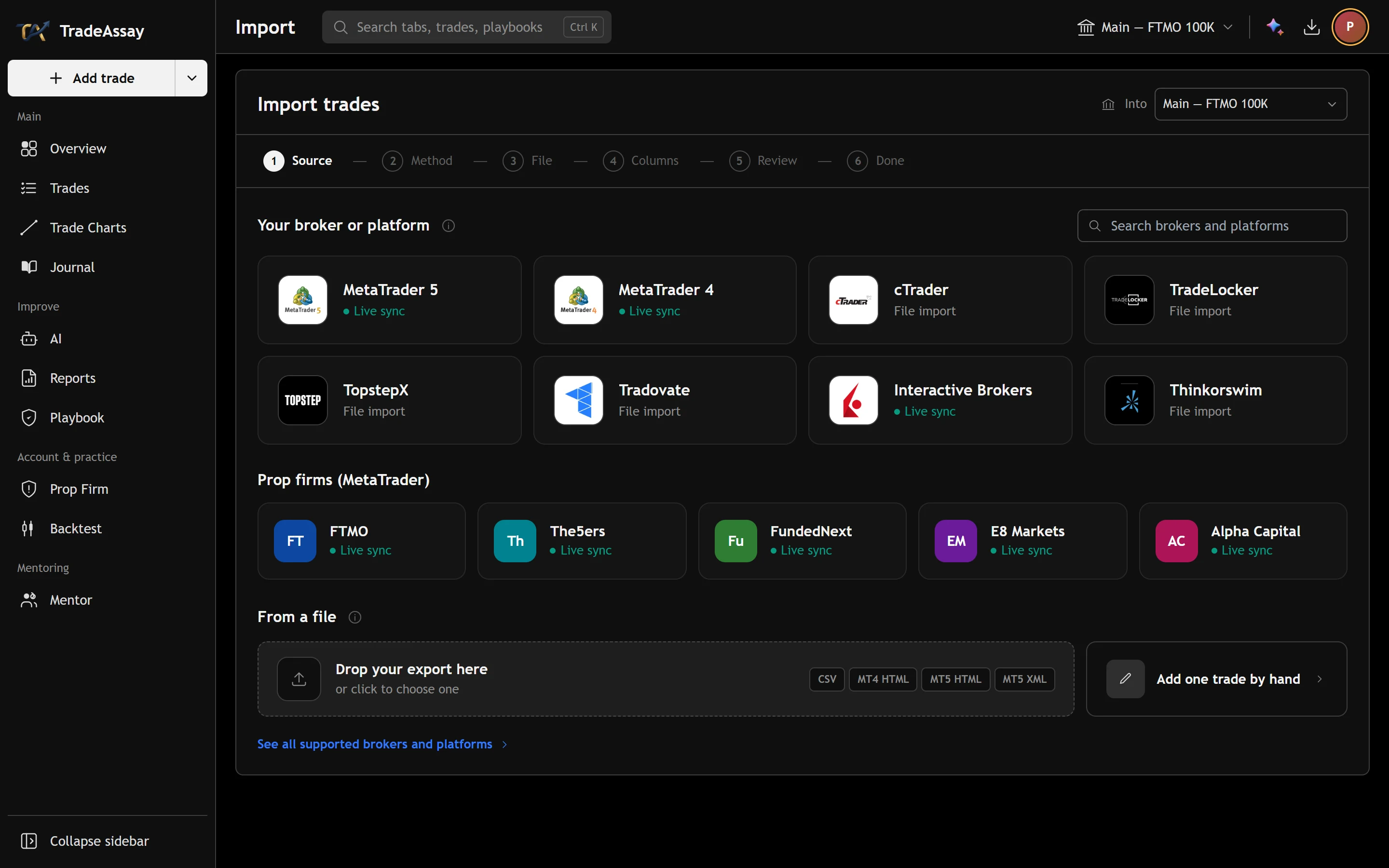
Drop in the file your platform exports
TradeAssay reads the trade-history file you already have — MetaTrader's own report in any terminal language, or the CSV or Excel export of another platform — and puts every trade on the chart candle it was filled in.
The file is read on your device and nothing is saved until you press Import. The headings are recognised in English, Persian, Arabic, Russian, Turkish, Spanish, Portuguese, German, French, Italian, Chinese and Japanese; MetaTrader's own tables are recognised by their shape, so a report from a terminal in any language reads the same.
Times are put right before they are saved: a MetaTrader report is in the broker's server time and is converted to yours, a time that carries its own zone is read exactly as written, and the file's fills are checked against real one-minute candles.
| What is read | |
|---|---|
| MetaTrader 5 | History report as Excel (.xlsx, its default), HTML or XML — Positions or Deals — in any terminal language |
| MetaTrader 4 | Detailed Statement (HTML), in any terminal language |
| Prop firms | FTMO's trading-journal export, and any firm's MetaTrader 4/5 report |
| Futures platforms | TopstepX trades or orders, Tradovate Performance, NinjaTrader trades or executions, Rithmic, Quantower |
| Charting and brokers | TradingView List of trades, cTrader history, Interactive Brokers activity statement, thinkorswim account statement, IG history, Binance trade history |
| Anything else | Any CSV, TSV, Excel (.xlsx) or OpenDocument (.ods) table of trades or fills, with any delimiter, number format or language |
| Dates and numbers | Day-first or month-first, Persian (Jalali) dates and Persian digits, 12-hour clocks, Unix and Excel time numbers, zones written in the file, $(36.00) losses |
What the importer reads, November 2026. A file of fills is paired into trades on its own.
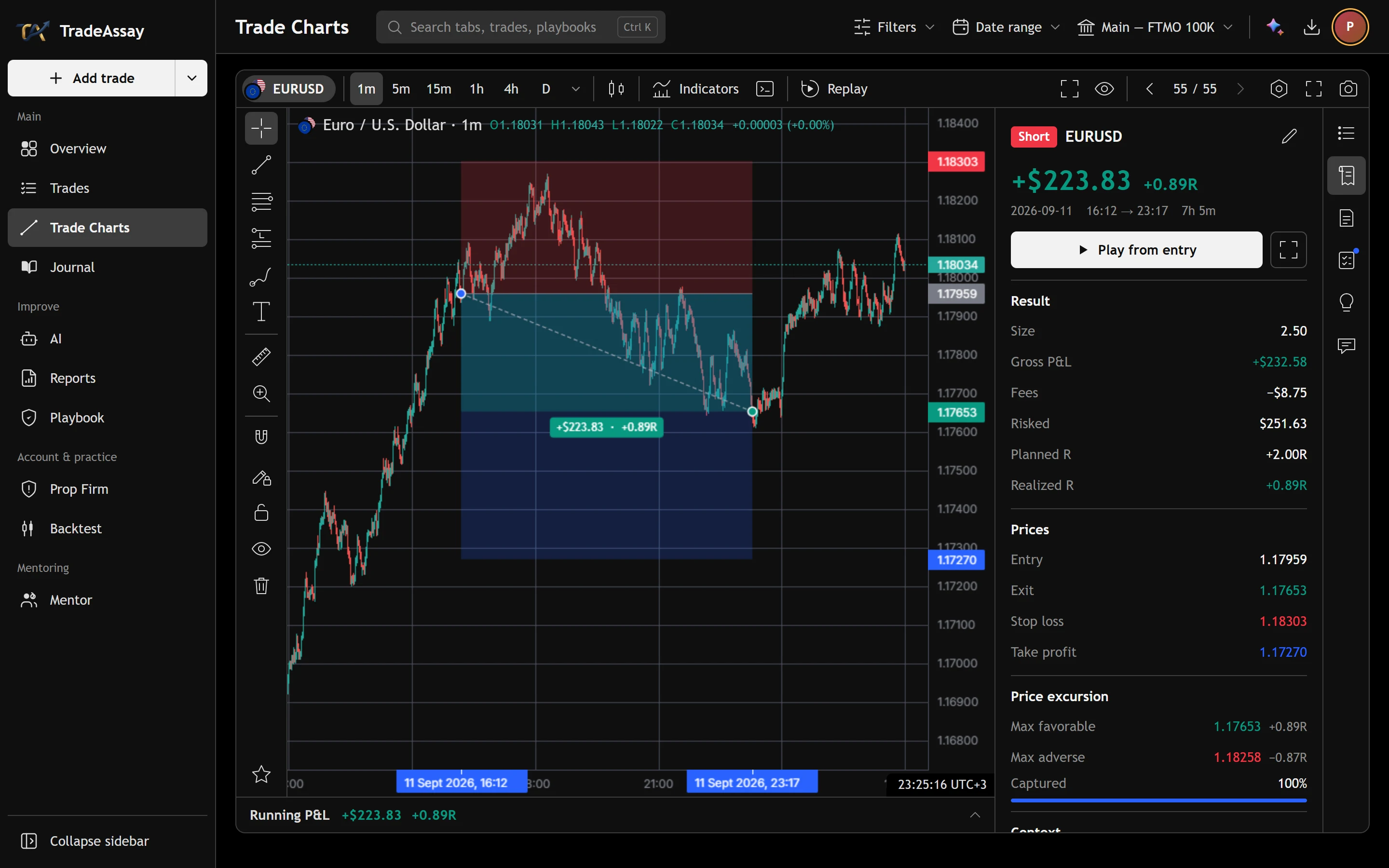
Every trade on the candle it was filled in
A MetaTrader report is written in your broker's server time, usually New York close, and is converted to your journal's time with daylight saving on both sides. The importer then checks the file's own entries and exits against real one-minute candles: if another clock fits them clearly better — or the dates could be read day-first or month-first — that reading is chosen, and you can still change it.
- Broker server time converted, daylight saving included
- Times with their own zone read exactly as written
- Day and month order settled by the market when the file cannot tell
Checked before anything is saved
Every row is shown as it will be saved. A stop on the wrong side of the entry, a close before the open or a date after today is held back with the reason, and trades already in that account are found and left unticked — importing the same file twice never doubles the book.
- Net profit after commission and swap
- Deposits, balance lines, cancelled and pending orders left out
- A file of fills paired into round-trip trades
What the importer cannot read
A PDF statement, an image and an Excel 97–2003 (.xls) workbook are not read; the page says what to export instead. In MetaTrader that is the History tab → right-click → Report; elsewhere, the platform's CSV or Excel export.
Bybit, DXtrade, Match-Trader and TradeLocker files go through the general reader rather than one built for them: if a column is not recognised, you match it once, with real values from your file beside it.
Before you switch.
Where can I upload my MetaTrader 5 report to journal it?
In TradeAssay: open Import and drop the file in. MetaTrader 5's report is read in all three of its formats — Excel (.xlsx), HTML and XML — whatever language your terminal is in. Export it from the History tab: right-click, then Report.
I have a TopstepX, Tradovate or NinjaTrader export. Can I journal it?
Yes. TopstepX trades and orders exports, Tradovate's Performance CSV and NinjaTrader's trades or executions grid are read on their own, and futures contract names such as NQZ5 or "NQ 12-25" are put on the right futures chart.
Can I import my TradingView strategy results?
Yes: the Strategy Tester's List of trades export. It does not name the symbol, so you type it once for every row.
My spreadsheet is in Persian, with Jalali dates. Will it import?
Yes. Headings are recognised in a dozen languages, Persian included, and Persian digits and Jalali dates are read. Anything not recognised is matched once by hand.
Will importing the same file twice duplicate my trades?
No. Trades already in that account are found and left unticked.
Is file import free?
Yes. It is part of the free plan, which never expires and needs no card.
Other ways to look at it.
Your next trade deserves a reason.
Bring in your history and see what it says — free, in a few minutes.
Create your free accountAnswers to what traders ask us most — and a ticket to a person when they aren't enough.
Open helpsupport@tradeassay.com — read by the people who build the app.
Send an emailLong reads on sample size, R and prop-firm rules, each with a calculator.
Start reading